
error handling in React vs. error handling in Node.js works differently because one is client-side (React) and the other is server-side (Node.js).
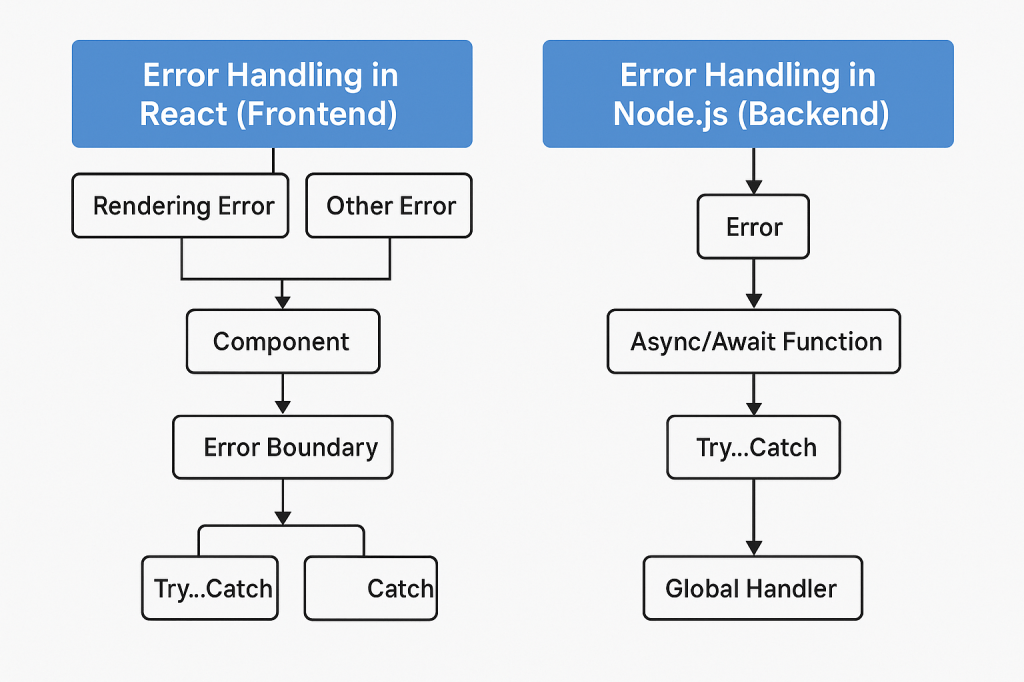
Error Handling in React (Frontend)
React focuses on UI rendering, so errors usually happen in:
- Components
- Event handlers
- Network requests (API calls)
Methods:
Error Boundaries (for rendering errors)
Catch errors in React component tree during rendering, lifecycle methods, and constructors.
class ErrorBoundary extends React.Component {
  constructor(props) {
    super(props);
    this.state = { hasError: false };
  }

  static getDerivedStateFromError(error) {
    return { hasError: true };
  }

  componentDidCatch(error, info) {
    console.error(error, info);
  }

  render() {
    if (this.state.hasError) {
      return <h1>Something went wrong.</h1>;
    }
    return this.props.children;
  }
}
Try…Catch in Event Handlers
const handleClick = () => {
  try {
    // some logic
  } catch (error) {
    console.error(error);
  }
};
Promise/Catch or Async/Await for API Calls
async function fetchData() {
  try {
    const res = await fetch('/api/data');
    const data = await res.json();
  } catch (error) {
    console.error('API call failed', error);
  }
}
Note:
- Error Boundaries do not catch errors in event handlers or async code.
- Use libraries like
react-error-boundaryfor better patterns.
Error Handling in Node.js (Backend)
Node handles server logic, file I/O, database, and APIs, so it needs robust error handling.
Methods:
Try…Catch in Async/Await Functions
app.get('/data', async (req, res) => {
  try {
    const data = await getDataFromDB();
    res.json(data);
  } catch (error) {
    console.error(error);
    res.status(500).send('Server error');
  }
});
Express Error Middleware
app.use((err, req, res, next) => {
  console.error(err.stack);
  res.status(500).send('Something broke!');
});
Global Uncaught Exception Handling
process.on('uncaughtException', (err) => {
  console.error('Uncaught Exception:', err);
  process.exit(1); // exit to avoid corrupted state
});

process.on('unhandledRejection', (reason, promise) => {
  console.error('Unhandled Rejection:', reason);
});
Note:
- Always handle errors in asynchronous code (e.g., DB queries, file reads, API calls).
- In production, avoid leaking sensitive error details to the client.
Quick Comparison
| Feature | React (Frontend) | Node.js (Backend) |
|---|---|---|
| Scope | UI rendering & user interaction | Server logic, DB, APIs |
| Main Tools | Error Boundaries, try/catch | Try/catch, middleware |
| Catches Render Errors | ✅ | ❌ (not applicable) |
| Handles Async Errors | Needs manual try/catch | Built for async error handling |
| Global Handling | Limited | process.on('error') events |
 Code Help by Asmi