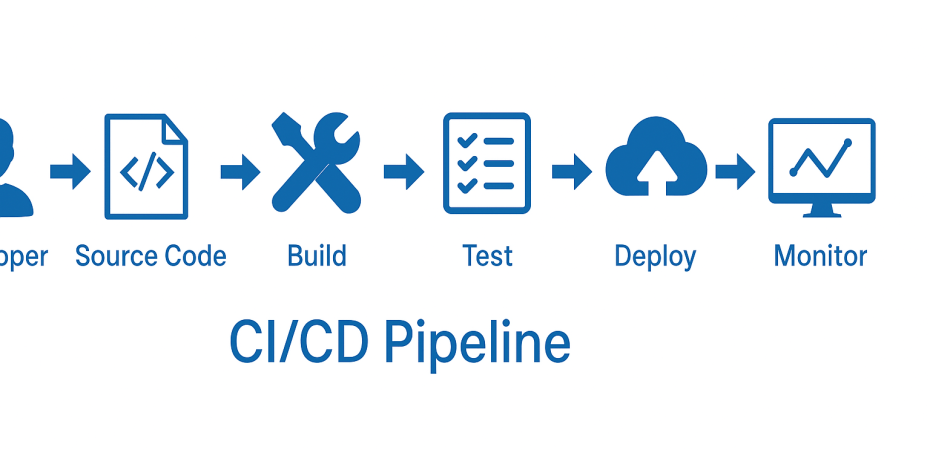
Security testing in CI/CD pipelines ensures that vulnerabilities and threats are identified early in the software development lifecycle (SDLC). By integrating automated security tools into continuous integration (CI) and continuous deployment (CD) pipelines, development teams can detect and mitigate risks before code is released into production.
Here are some examples of security testing in CI/CD pipelines across different phases:
1. Static Application Security Testing (SAST)
- Example: Using SonarQube or Checkmarx in a GitHub Actions workflow to scan source code for vulnerabilities before build.
- Pipeline Step:
- name: Run SAST
run: sonar-scanner -Dsonar.projectKey=myproject -Dsonar.host.url=https://sonarqube.example.com
2. Software Composition Analysis (SCA)
- Example: Running OWASP Dependency-Check in a Jenkins pipeline to detect vulnerable dependencies.
- Pipeline Step:
- name: Run Dependency Check
run: dependency-check --project MyProject --scan . --format HTML
3. Dynamic Application Security Testing (DAST)
- Example: Using OWASP ZAP to scan a running application for security flaws.
- Pipeline Step:
- name: Run OWASP ZAP
run: zap-baseline.py -t https://myapp.example.com -r zap_report.html
4. Infrastructure as Code (IaC) Security Scanning
- Example: Using Terraform Sentinel to enforce security policies on cloud infrastructure before deployment.
- Pipeline Step:
policy "enforce-encryption" {
rule = "aws_s3_bucket.example.bucket_encryption != null"
}
5. Container Security Scanning
- Example: Running Trivy to scan Docker images for vulnerabilities in a GitLab CI/CD pipeline.
- Pipeline Step:
- name: Run Trivy Scan
run: trivy image myregistry.com/myimage:latest
6. Secret Scanning
- Example: Using GitLeaks or TruffleHog to prevent secrets from being committed in source control.
- Pipeline Step:
- name: Secret Scanning
run: gitleaks --path=. --verbose
Here is a complete GitHub Actions CI/CD pipeline that includes security testing using various tools like SAST, SCA, DAST, secret scanning, and container security scanning:
name: Security Testing Pipeline

on:
  push:
    branches:
      - main
  pull_request:
    branches:
      - main

jobs:
  security-tests:
    name: Run Security Tests
    runs-on: ubuntu-latest

    steps:
      # Checkout the source code
      - name: Checkout Code
        uses: actions/checkout@v3

      # SAST - Static Code Analysis using SonarCloud
      - name: SonarCloud Scan
        uses: sonarsource/sonarcloud-github-action@master
        env:
          SONAR_TOKEN: ${{ secrets.SONAR_TOKEN }}
        with:
          projectBaseDir: ./

      # SCA - Dependency Vulnerability Scan using OWASP Dependency-Check
      - name: Dependency-Check (SCA)
        run: |
          mkdir reports
          docker run --rm \
            -v $(pwd):/src \
            -v $(pwd)/reports:/reports \
            owasp/dependency-check \
            --project MyProject \
            --scan /src \
            --format HTML \
            --out /reports

      # Secret Scanning using GitLeaks
      - name: Secret Scanning (GitLeaks)
        uses: zricethezav/gitleaks-action@v2
        with:
          config-path: ".gitleaks.toml"

      # IaC Security Scan using Terraform Sentinel
      - name: Terraform Security Scan
        run: |
          terraform init
          terraform validate
          sentinel test

      # Container Security Scan using Trivy
      - name: Docker Image Security Scan (Trivy)
        run: |
          docker build -t myapp:latest .
          docker run aquasec/trivy image myapp:latest

      # DAST - Run OWASP ZAP for Dynamic Security Testing
      - name: Run OWASP ZAP Scan
        run: |
          docker run -v $(pwd):/zap/wrk -t owasp/zap2docker-stable zap-baseline.py \
          -t https://myapp.example.com -r zap_report.html

      # Upload Reports as Artifacts
      - name: Upload Security Reports
        uses: actions/upload-artifact@v3
        with:
          name: security-reports
          path: reports/
 Code Help by Asmi